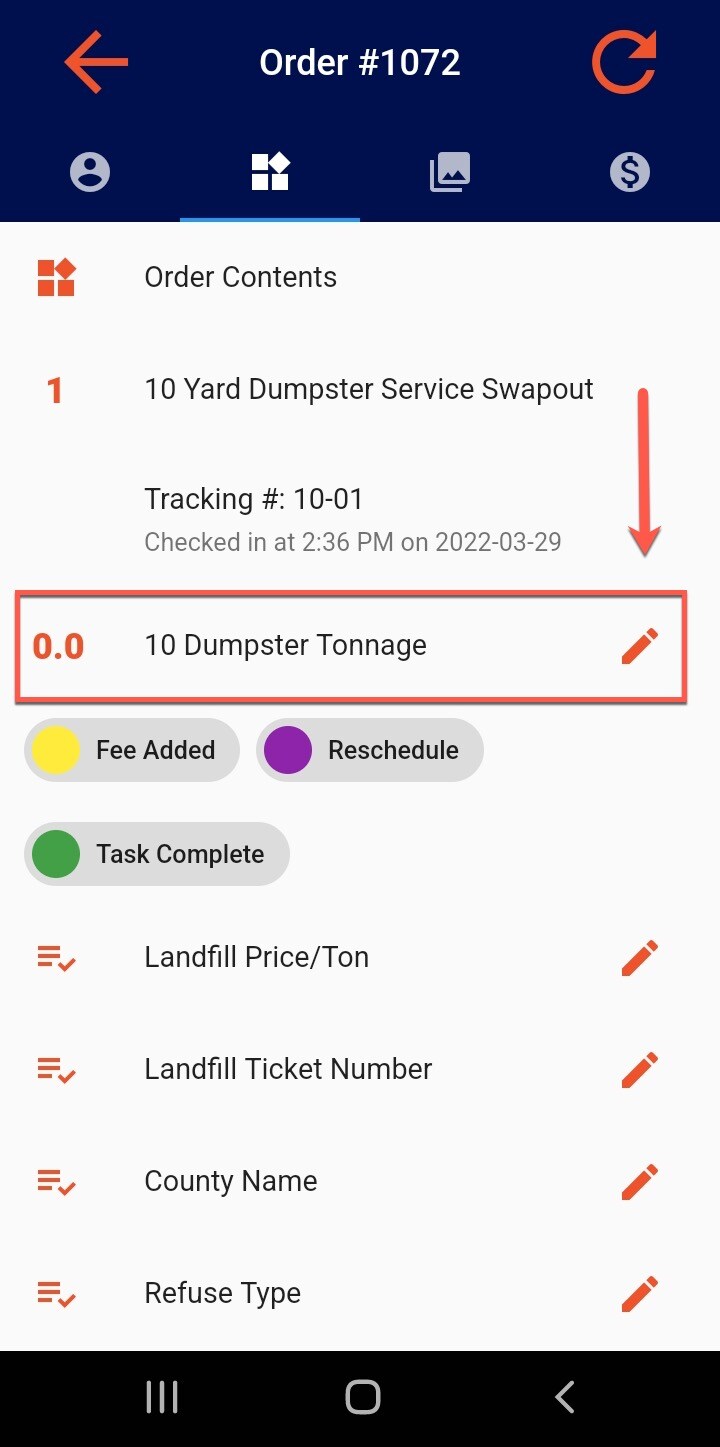
Tonnage is entered through the Control Panel or the Drivers App. The total tonnage on the scale ticket should be entered as the system will calculate overage based on the "Tonnage" Price Rules in Admin > Rules > Price Rule Sets. The tonnage pricing/calculation will respect any special/custom pricing configured per customer.
Tonnage on the Control Panel
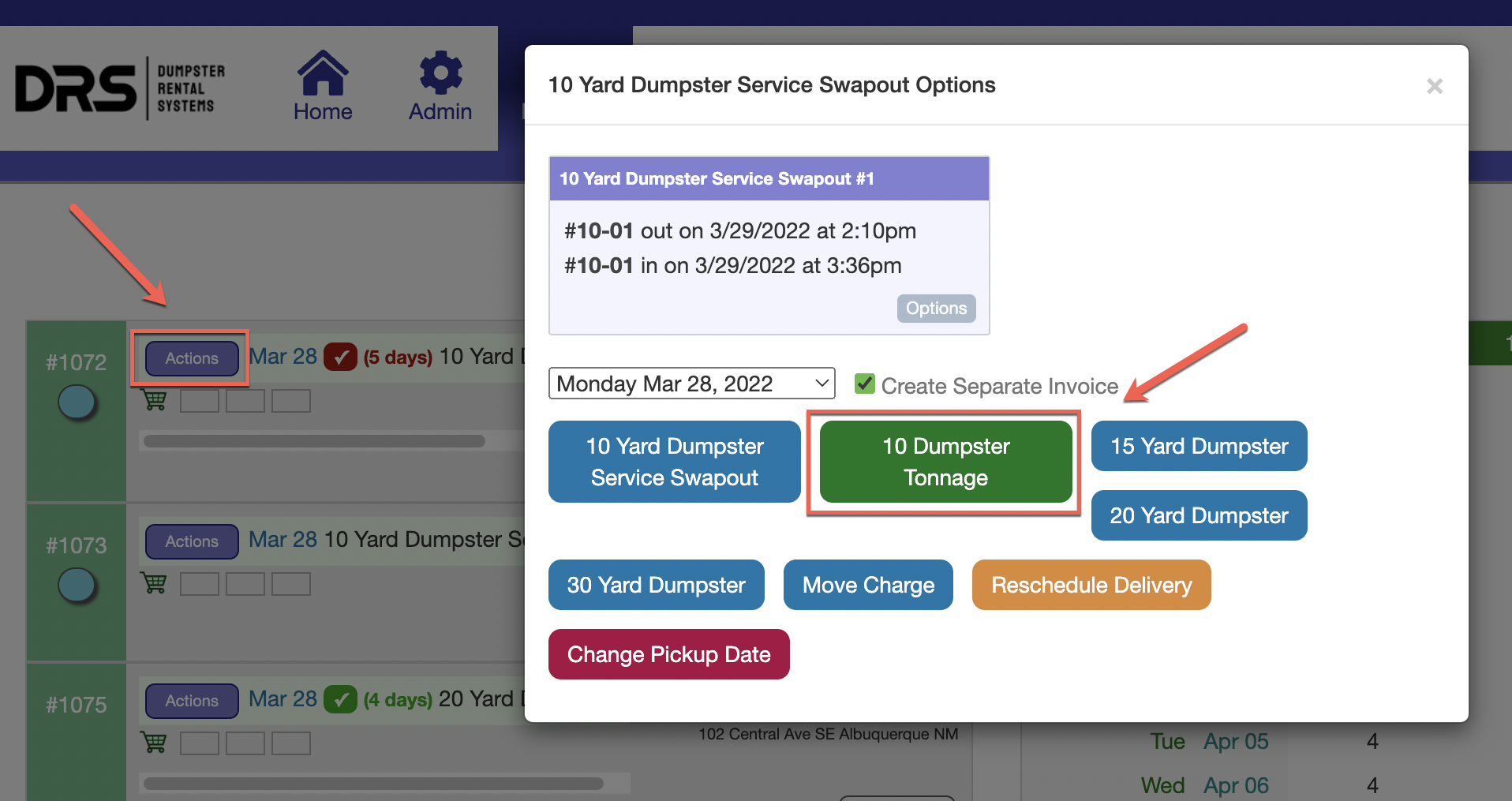
On the Control Panel, click the "Actions" button and the green tonnage box:
Tonnage in the Driver App
In the Driver App, tap the Order ID (with "Basket" icon) from the View Loadsheet screen. Tap the second tab at the top, and Tonnage will be located toward the top. Tap the "Pencil" icon to enter in the full tonnage amount: